Overview
DC01 was configured as the first domain controller for corp.home.arpa, providing Active Directory Domain Services and DNS for the lab.
Server Configuration
- Server: DC01
- Operating System: Windows Server 2025 Standard Evaluation
- Domain: corp.home.arpa
- Roles: Active Directory Domain Services and DNS
Directory Design
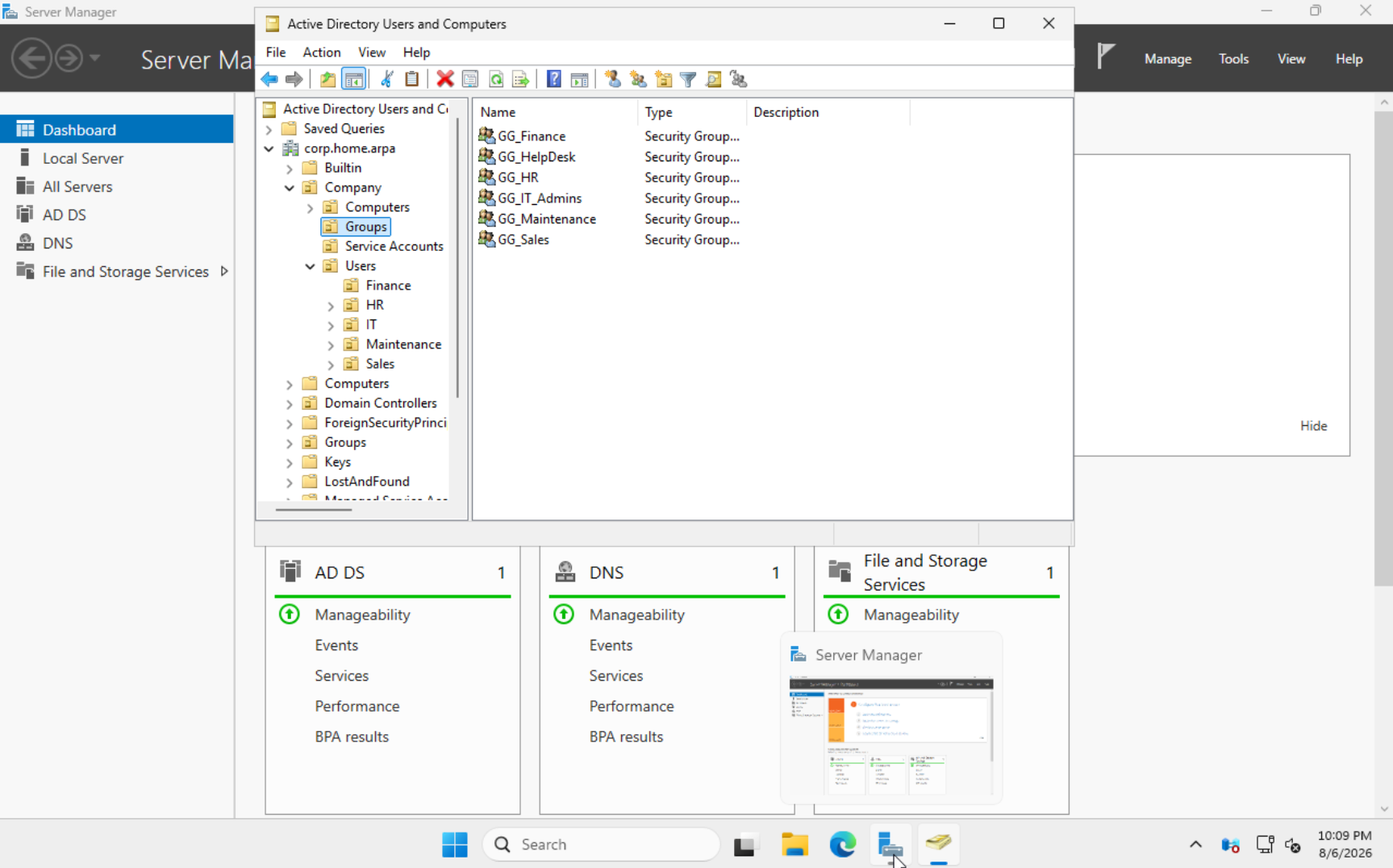
The directory was organized under a custom Company OU with separate areas for users, computers, groups, servers, workstations, departments, and service accounts.
- Department OUs for IT, HR, Finance, and Sales
- Computer OUs for workstations and servers
- Security groups including GG_IT_Admins, GG_HelpDesk, GG_HR, GG_Finance, and GG_Sales
- Test user accounts for administration and policy validation
Challenge and Resolution
After changing the lab from the 192.168.1.x network to 192.168.0.x, clients were unable to communicate with the domain controller. Updated static IP addressing, gateway, and DNS configuration on the server and clients, then verified connectivity and Active Directory functionality.
Results
- Created a functioning Windows domain and DNS foundation.
- Established a scalable OU and security-group structure.
- Prepared the environment for domain joins, Group Policy, file services, and software deployment.
Screenshot